The best strategy for help text is to design a form so intuitive it doesn't need any.
However, sometimes users may need a little help. Provide help text to explain things like:
- legal jargon
- where to find obscure information
- the format for providing information
- what you’ll do with a user’s personal information
- the consequences of making one choice over another.
Field-level
Hint text directly under the field name is the preferred way to provide field-level text.
However, hint text isn't available in iApply so use:
- placeholder text for short pieces of text
- information alerts for lots of text.
Why you shouldn't use placeholder text or tooltips
Placeholder text
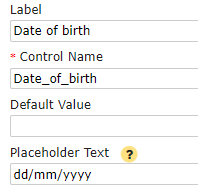
Use placeholder text help for short pieces of text that are relevant to the majority of users, like the format to enter their date of birth.
You can use placeholder text by adding text in the field that the user will fill out.
Use Control Editor - Placeholder Text.
For example:
- Label 'Date of birth'
- Placeholder Text 'dd /mm/yyyy'.
Web view:

Information alert
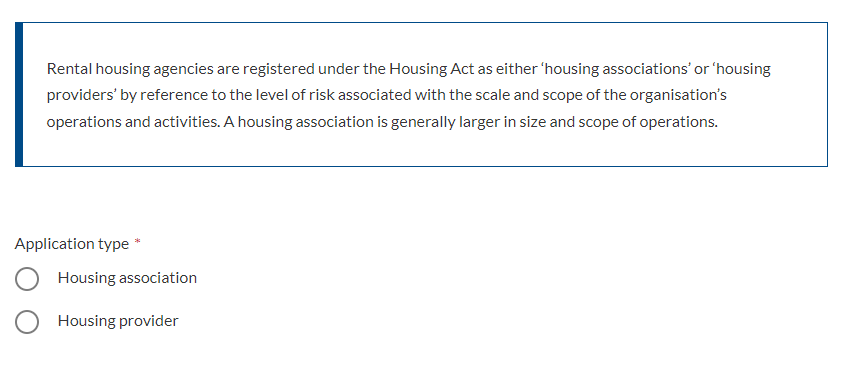
If something is too long to be explained in placeholder text, use an information alert above the field.
Use Controls - HTML Content.
Web view:
Group field level
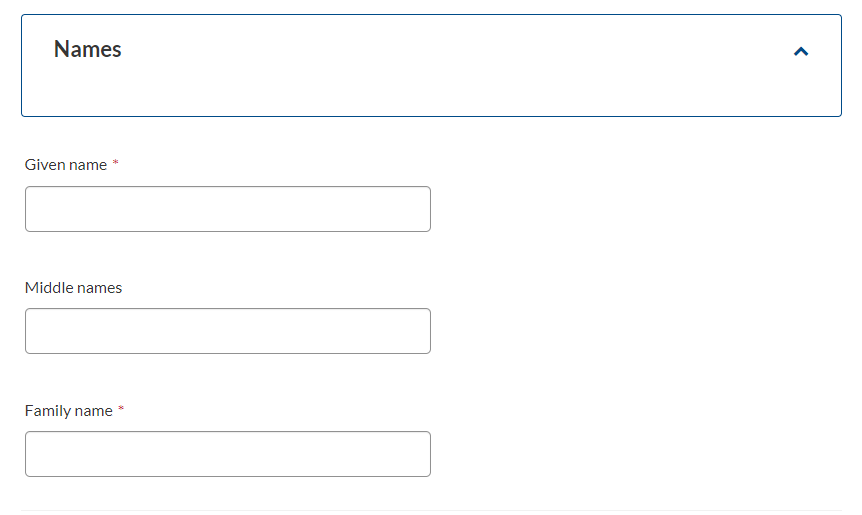
Group field level use Controls - Control Group.
Help text on a page
Use help text if you need to provide context that will affect all questions in a field group.
Place the help text in the label of the control group or as an html field above the field group.
For example:
- Control Type 'group'
- Label 'Name'.

Web view:
Page level
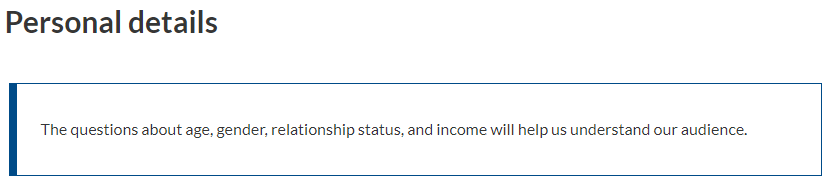
Provide context at the top of the page that will affect all questions on that page, such as how their information will be used, or which questions they need to fill out.
Web view:
Help text in a repeatable group
Help text can be added to a repeatable group (repeater) to help the user to add another item.
In iApply for:
- a table repeater, add Controls - HTML Content immediately before the group
- a vertical or page repeater, add Controls - HTML Content either immediately before the group or as a field inside the group. If the html field is inside the repeater then it will be repeated each time the user adds another item.
Further information
On this site
Data dictionary - examples of help text for things like name, contact details, and file uploads.